SMPS Repair
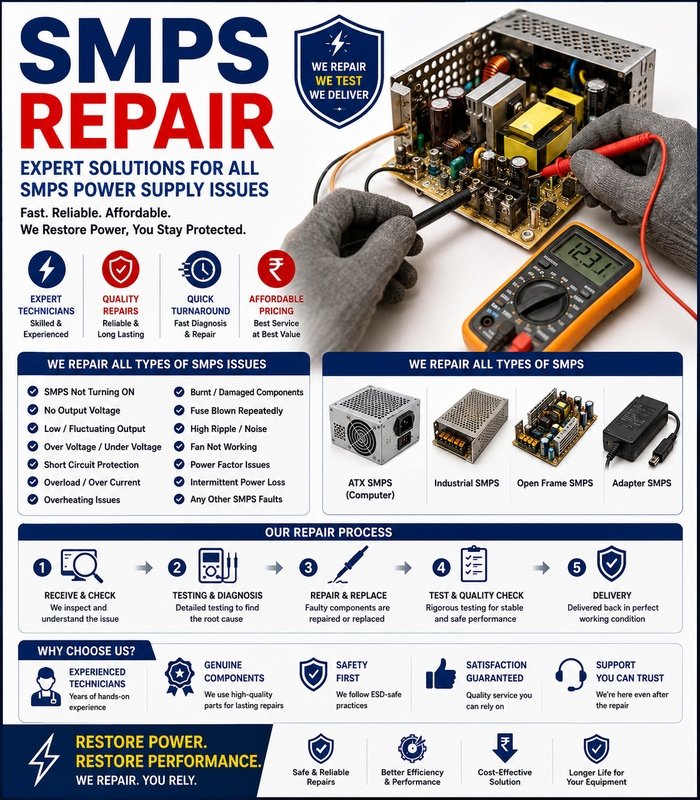
SMPS repair involves diagnosing and servicing a Switched-Mode Power Supply (SMPS) that is not delivering stable or sufficient power to a computer or other electronic equipment. Since an SMPS handles potentially dangerous mains voltage, internal repair should only be performed by a qualified technician using appropriate safety procedures and equipment.
What Is an SMPS?
An SMPS converts incoming electrical power into the regulated voltages required by electronic components. In a desktop computer, the power supply provides power to the motherboard, processor, storage drives, graphics card, cooling fans, and other components.
A faulty power supply can cause problems throughout the system, making accurate diagnosis important.
Common SMPS Problems
Typical symptoms of a faulty SMPS include:
- Computer not turning on
- Random shutdowns
- Unexpected restarts
- System instability
- Failure under heavy load
- Burning smell
- Unusual buzzing or clicking
- Fan not operating correctly
- No output voltage
- Overheating
These symptoms do not always prove that the SMPS is defective. Other components can produce similar behavior.
Basic SMPS Diagnostics
Begin with an external inspection. Check the power cable, wall outlet, power switch, connectors, and visible condition of the unit.
For a desktop computer, verify that the SMPS is connected correctly to the motherboard and other components.
If the computer shows no signs of power, testing with a known-good compatible power supply can help determine whether the SMPS is the source of the problem.
Checking Power Output
Technicians can use suitable electrical testing equipment to check whether the power supply is producing the required output voltages.
Testing should be performed according to the manufacturer’s specifications and appropriate safety procedures.
An incorrect or unstable output can indicate a problem within the power supply, but further testing may be necessary to identify the failed section.
Common Internal Faults
An SMPS may contain several components that can fail over time, including capacitors, switching components, rectifiers, transformers, control circuits, fans, and protective components.
Common causes of failure include:
- Component aging
- Overheating
- Dust accumulation
- Electrical surges
- Excessive load
- Poor ventilation
- Component failure
Identifying the exact failed component generally requires component-level diagnostic equipment and technical expertise.
Cooling and Overheating
An SMPS relies on adequate cooling. Dust buildup can restrict airflow and cause internal temperatures to rise.
Overheating may shorten component life and cause the power supply to shut down or become unstable.
The ventilation openings should be kept clear, and the cooling fan should be checked for abnormal noise or failure.
SMPS Repair or Replacement?
Not every power supply should be repaired. For inexpensive or heavily damaged units, replacement may be safer and more economical than component-level repair.
A repair may be considered when the unit is otherwise suitable for continued use and the fault can be safely identified and corrected by a qualified technician.
The replacement unit must have suitable voltage, power capacity, connectors, and compatibility with the computer.
Important Safety Precautions
An SMPS can contain capacitors that retain dangerous electrical energy even after the unit has been disconnected from mains power. Do not open an SMPS enclosure or touch internal components unless you are properly trained and equipped to work on mains-powered electronics.
Never bypass safety components or protective circuits simply to make a power supply operate.
If there is a burning smell, visible damage, smoke, or evidence of electrical arcing, disconnect the equipment from power and arrange for professional inspection.
Testing After Service
After repair or replacement, the system should be tested under appropriate operating conditions. Check startup, voltage stability, system performance, and behavior under normal load.
Any unusual noise, overheating, shutdown, or instability should be investigated before returning the equipment to regular use.
Reliable Power for Your Equipment
A properly functioning SMPS is essential for stable computer operation. Careful diagnosis helps distinguish a power-supply problem from faults elsewhere in the system. Because of the electrical hazards involved, internal SMPS repair should be left to qualified professionals, while replacement may be the better option when a unit is severely damaged or no longer economical to repair.







Reviews
There are no reviews yet.