Motherboard Repair
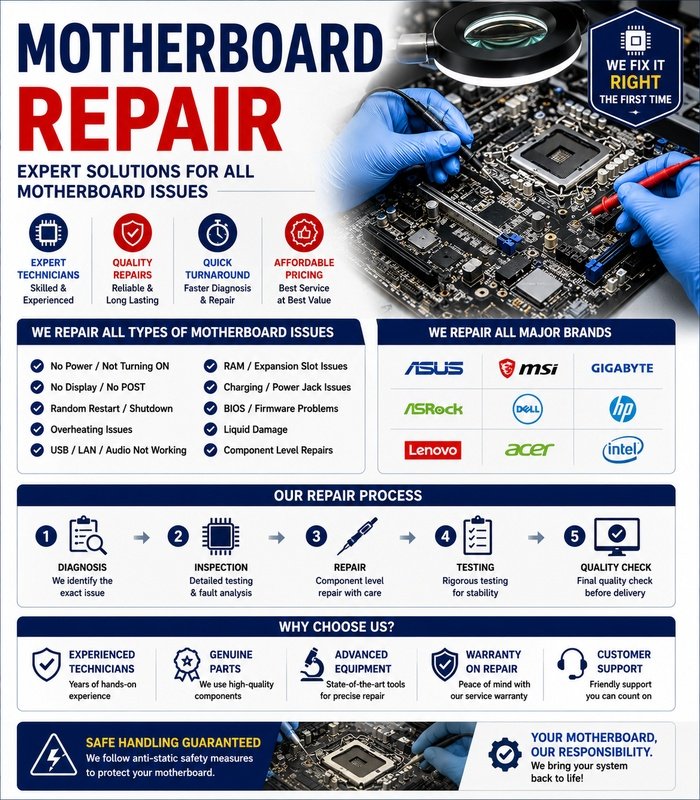
Motherboard repair involves diagnosing and resolving faults on the main circuit board of a computer, laptop, or other electronic device. Since the motherboard connects the processor, memory, storage, power system, ports, and other components, a single fault can affect the entire system.
Proper diagnosis is essential because symptoms caused by RAM, power supplies, storage devices, or other components can sometimes appear to be motherboard problems.
Common Motherboard Problems
A faulty motherboard may produce symptoms such as:
- Computer not powering on
- No display during startup
- Random shutdowns or restarts
- Frequent system crashes
- USB or other ports not working
- RAM not being detected
- Storage devices not being recognized
- Network or audio hardware failures
- Burning smell or visible component damage
- Repeated startup or boot failures
The same symptoms can have several different causes, so testing should be performed systematically.
Initial Motherboard Diagnostics
Begin with an external inspection and confirm that the computer is receiving appropriate power.
Check the power cable, power supply, battery where applicable, and external connections. Remove unnecessary peripherals and determine whether the system can start with a minimum set of components.
For desktop computers, diagnostic indicators, beep codes, or motherboard status LEDs may provide useful information when available.
Visual Inspection
A careful visual inspection can reveal signs of physical damage. Look for:
- Burn marks
- Damaged or swollen components
- Corrosion
- Broken connectors
- Loose components
- Damaged circuit-board traces
- Signs of liquid exposure
- Excessive dust
Liquid damage is particularly important because corrosion can continue to affect electronic components even after the device appears dry.
Testing RAM and Other Components
Before concluding that the motherboard has failed, test removable components such as RAM, storage drives, graphics cards, and power supplies where applicable.
Testing known-good components can help isolate the problem.
For example, if the computer starts normally after replacing a suspected memory module, the motherboard may not be the actual source of the fault.
Power Circuit Diagnosis
Motherboards contain multiple power-regulation circuits that provide appropriate voltages to different components.
Symptoms such as failure to start, repeated shutdowns, or unstable operation may be associated with power circuitry. Diagnosing these circuits can require specialized measuring equipment and board-level repair knowledge.
Component-level electrical testing should be performed only by trained technicians.
BIOS and Firmware Problems
A damaged or incorrectly configured BIOS/UEFI can prevent a computer from starting correctly.
Depending on the motherboard and manufacturer, recovery procedures may include resetting firmware settings or using an approved firmware-recovery method.
Firmware updates should be performed carefully because an interrupted or incorrect update can make the system unusable.
Port and Connector Repair
USB ports, charging connectors, audio ports, display connectors, and other interfaces can become damaged through repeated use or physical stress.
A damaged connector may sometimes be replaced or repaired at board level. The surrounding circuit should also be checked because physical damage can affect traces or nearby components.
Laptop Motherboard Repair
Laptop motherboards can be more difficult to repair because components are often densely packed and many are soldered directly to the board.
Problems involving charging circuits, power management, display circuits, USB controllers, or other board-level components may require specialized equipment such as microscopes, diagnostic meters, and professional soldering or rework tools.
When Replacement Is Better
Not every motherboard fault is economically practical to repair. If the board has extensive physical damage, severe corrosion, or multiple failed components, replacement may be more practical than component-level repair.
The cost and availability of a replacement board should be compared with the value and age of the device.
Testing After Repair
After motherboard repair, the system should be thoroughly tested. Check startup, memory detection, storage, USB ports, display output, networking, audio, charging, cooling, and overall system stability.
Run appropriate diagnostic tests to verify that the original fault has been resolved and that no additional problems remain.
Professional Motherboard Repair
Motherboards contain sensitive electronic components and can be damaged by incorrect handling, static electricity, excessive heat, or improper testing. Disconnect power sources and follow appropriate electrostatic-discharge precautions when working on accessible components.
For board-level faults, motherboard repair is best handled by a qualified technician with the appropriate diagnostic and soldering equipment. Accurate fault identification can prevent unnecessary replacement of otherwise working components and restore the system more efficiently.






Reviews
There are no reviews yet.