Laser Cartridge Refilling
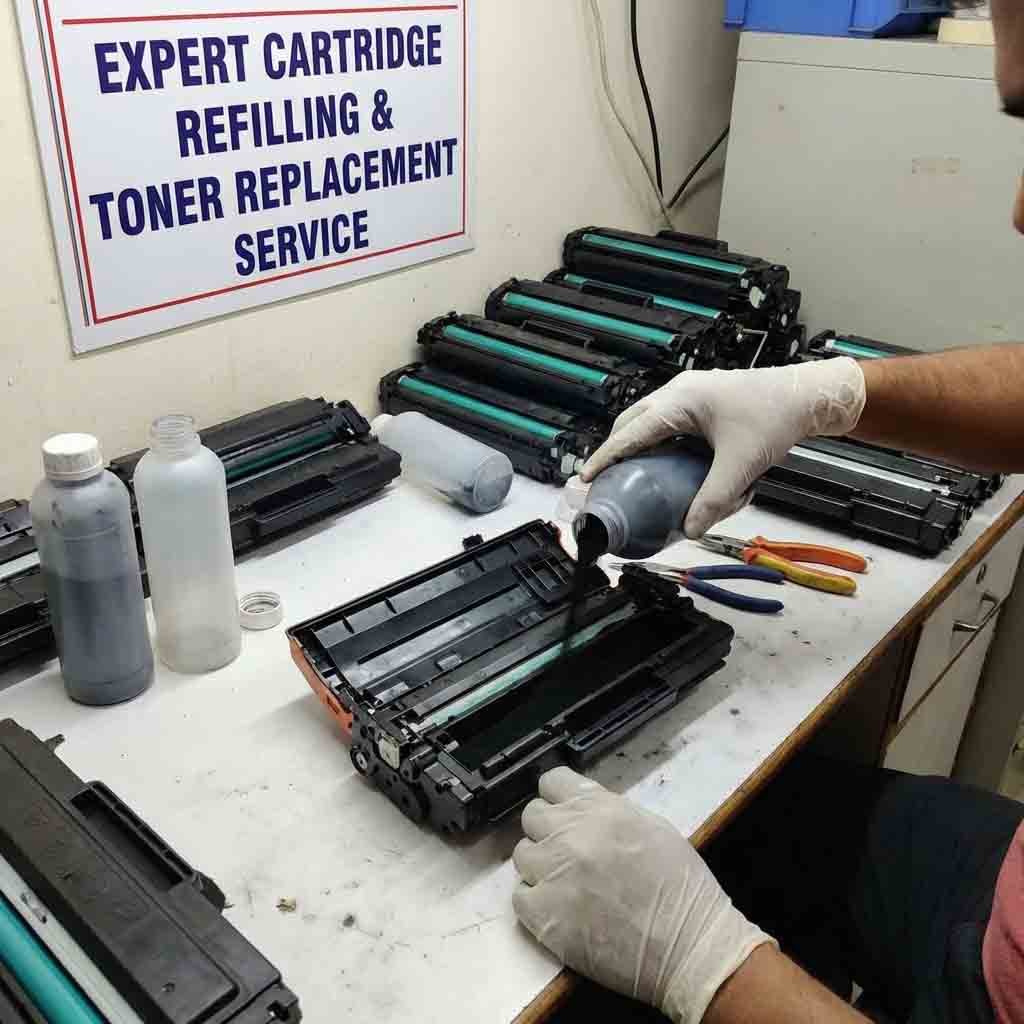
Laser cartridge refilling is the process of replenishing toner in a used laser printer cartridge so it can be used again. When performed correctly with compatible toner and appropriate equipment, refilling can reduce consumable costs and help extend the useful life of suitable cartridges.
What Is Laser Cartridge Refilling?
Laser printers use toner powder rather than liquid ink. During printing, toner is transferred to paper and fused using heat and pressure.
When a cartridge becomes empty, it may sometimes be refilled instead of immediately replacing the entire cartridge. However, refilling is not suitable for every cartridge, and worn internal components may still need replacement.
Cartridge Inspection
Before refilling, inspect the cartridge carefully for damage, toner leakage, cracks, worn gears, damaged seals, or other problems.
The cartridge model should also be identified to ensure that the correct toner is used.
A damaged cartridge should generally be repaired or replaced rather than simply filled with additional toner.
Cleaning the Cartridge
Used cartridges may contain residual toner and accumulated debris. Appropriate cleaning helps prevent print-quality problems after refilling.
The drum, waste-toner area, seals, rollers, and other accessible components should be inspected according to the cartridge design.
Avoid touching sensitive drum surfaces unnecessarily because contamination can produce marks or other defects on printed pages.
Adding Compatible Toner
The toner must be compatible with the specific cartridge and printer model. Different laser printers can require toner with different physical and electrical characteristics.
Using unsuitable toner may result in:
- Faded printing
- Background shading
- Poor toner adhesion
- Streaks
- Repeated marks
- Printer errors
- Damage to cartridge components
The cartridge should not simply be filled to an arbitrary level. The correct refill quantity depends on the cartridge design and specifications.
Replacing Worn Components
Refilling toner alone may not restore a cartridge to good printing condition. Depending on its design and usage, components such as the drum, wiper blade, doctor blade, seals, rollers, or other parts may wear out.
If a cartridge has reached the end of its service life, replacing worn components may be necessary for consistent print quality.
Resetting the Cartridge
Some laser cartridges contain a chip or mechanical reset system that allows the printer to recognize cartridge status.
After refilling, the cartridge may still display an empty or low-toner warning if its status has not been reset. The appropriate reset procedure depends on the cartridge and printer model.
A reset should only be performed using a method compatible with the specific cartridge.
Testing the Refilled Cartridge
After refilling, install the cartridge and perform several test prints.
Check for:
- Clear text
- Even toner coverage
- Correct density
- No streaks
- No repeated marks
- No toner leakage
- Correct cartridge recognition
If the printer produces defects, inspect the cartridge and its internal components rather than adding more toner immediately.
Handling Toner Safely
Toner is a fine powder and should be handled carefully. Avoid creating dust and follow appropriate workplace safety practices.
Use suitable protective equipment and ventilation when required. Do not use compressed air in a way that disperses toner into the surrounding environment.
Spilled toner should be cleaned using equipment and procedures appropriate for toner particles.
Refill or Replace?
Refilling can be economical when the cartridge body and internal components remain in good condition. However, a heavily worn or damaged cartridge may provide poor results even after adding fresh toner.
In such cases, a new compatible cartridge or professionally remanufactured cartridge may be a better option.
Extending Cartridge Life
Proper printer maintenance can help cartridges perform reliably for longer. Use the correct paper, avoid exposing cartridges to unsuitable conditions, and replace worn components when necessary.
Laser cartridge refilling is more than simply adding toner. Proper inspection, cleaning, compatible toner selection, component maintenance, status resetting, and final testing all contribute to consistent print quality and reliable printer operation.








Reviews
There are no reviews yet.