Virus Removal
Virus removal is the process of identifying and eliminating malicious software that can affect a computer, laptop, or other device. Viruses and other forms of malware may cause slow performance, unwanted pop-ups, application crashes, unusual network activity, data loss, or unauthorized changes to system settings.
A careful removal process should focus not only on deleting the malicious software but also on protecting the system from reinfection.
Common Signs of a Virus or Malware Infection
A device may be infected when it suddenly begins behaving differently. Common warning signs include:
- Unusually slow performance
- Frequent application crashes
- Unexpected pop-ups
- Unknown applications appearing
- Browser redirects
- Unwanted extensions
- Disabled security software
- Excessive network activity
- Files being modified unexpectedly
- Unknown programs running in the background
These symptoms do not always indicate a virus. Hardware faults and legitimate software can sometimes produce similar behavior.
Initial Virus Diagnosis
Before removing suspected malware, identify the symptoms and check the system carefully.
Review recently installed applications, browser extensions, startup programs, and unusual processes. Run a scan using trusted security software and record any detected threats.
If important files are involved, make sure they are backed up safely before making major changes, provided the backup process itself will not spread or preserve malicious files.
Disconnect When Necessary
If malware appears to be communicating with external systems or rapidly spreading through a network, disconnecting the affected device from the internet or local network can help limit further activity.
For business environments, affected systems may need to be isolated according to the organization’s security procedures.
Run a Security Scan
Use reputable, up-to-date security software to perform a full system scan.
Depending on the security tool, scanning may identify:
- Viruses
- Trojans
- Spyware
- Adware
- Potentially unwanted applications
- Other malicious files
Follow the security software’s recommended removal or quarantine process rather than manually deleting system files.
Remove Suspicious Applications
Review installed programs and remove applications that are clearly unwanted or known to be malicious.
Be careful when uninstalling unknown programs because some legitimate applications may have unfamiliar names or supporting components.
Check Browser Problems
Malware can modify browser settings, install unwanted extensions, change the search engine, or redirect websites.
Remove suspicious extensions and restore appropriate browser settings. Clear unwanted browser data when necessary and verify that the browser is using trusted configuration settings.
Update the Operating System
After malware has been removed, update the operating system, security software, browsers, and important applications.
Security updates can address vulnerabilities that malware may have exploited.
Change Important Passwords
If there is evidence that malware may have captured credentials, important passwords should be changed from a known-clean device.
Use unique passwords and enable multi-factor authentication where available. Avoid entering sensitive credentials on a computer that may still be compromised.
Check for Remaining Threats
After removal, perform another security scan and monitor the computer for recurring symptoms.
If malware repeatedly returns after removal, the system may have a deeper compromise, a malicious startup component, an unsafe application, or another source of reinfection.
Product Highlight
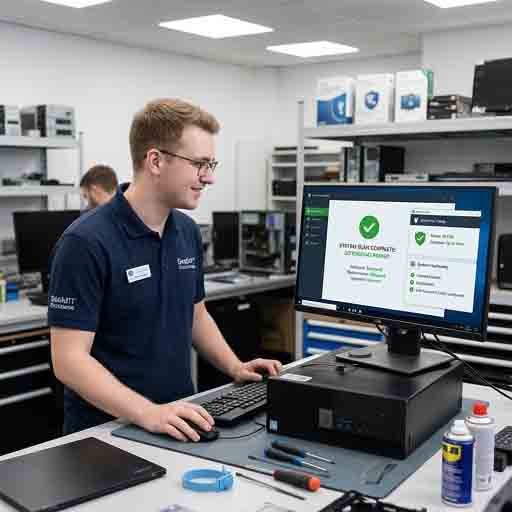
For customers looking to improve ongoing protection, a reputable antivirus or endpoint-security product can provide real-time monitoring and regular malware scanning. A suitable security solution can help detect suspicious files, malicious applications, and potentially harmful activity before they cause significant problems. Customers should choose software compatible with their operating system and avoid running multiple full-featured antivirus products simultaneously. Keeping the security software and its threat definitions updated is also important.
When Professional Virus Removal Is Needed
Professional assistance may be appropriate when malware cannot be removed normally, security tools have been disabled, important files are encrypted, accounts may have been compromised, or the computer continues to show signs of infection.
For serious business or ransomware incidents, affected systems should be isolated and handled according to an appropriate incident-response procedure.
Keeping the Computer Protected
Successful virus removal should be followed by preventive measures. Keep the operating system and applications updated, use reputable security software, avoid suspicious downloads and links, and maintain reliable backups.
Early detection and proper security practices can significantly reduce the impact of malware and help keep computers safer and more reliable.











Reviews
There are no reviews yet.