Laptop Adapter Repair
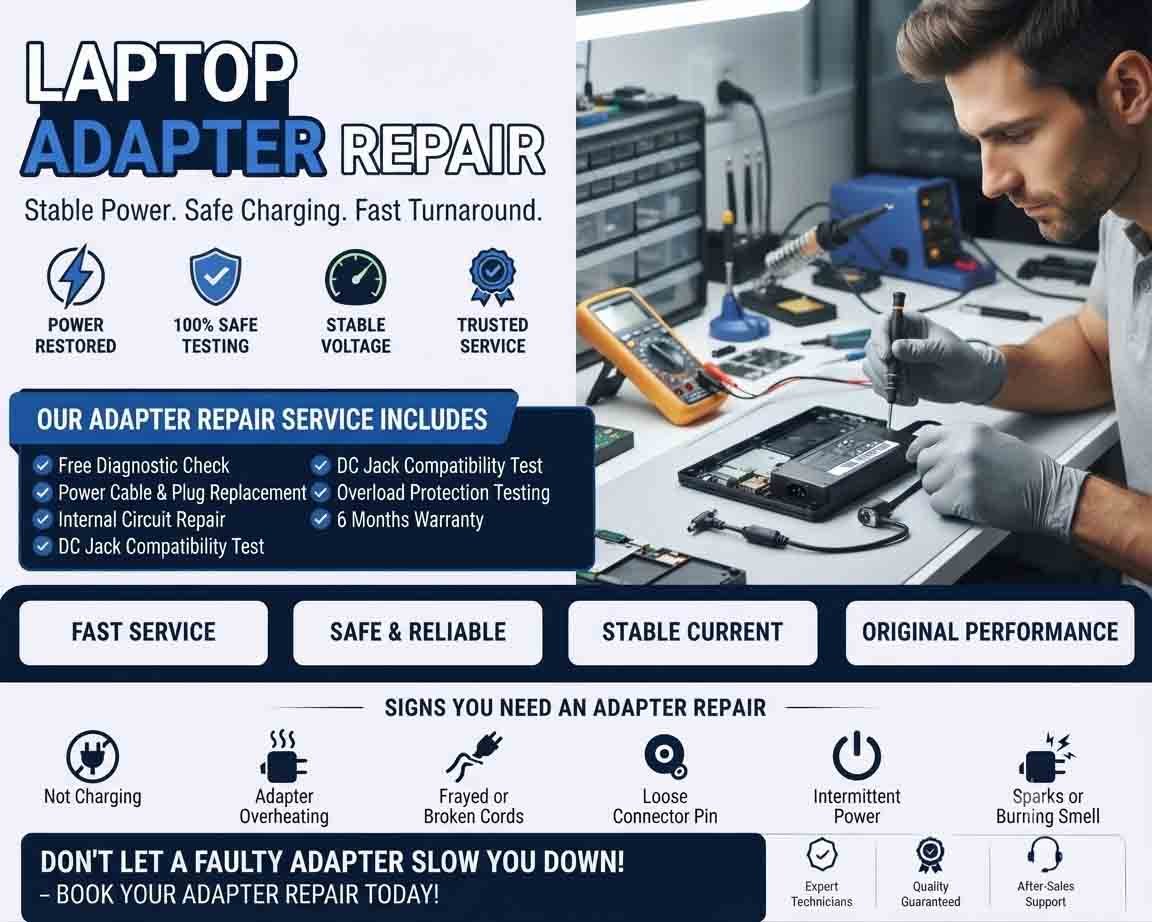
Laptop adapter repair involves diagnosing and servicing a faulty power adapter that is not supplying the correct power to a laptop. A damaged or unreliable adapter can cause charging problems, intermittent power, battery issues, or unexpected shutdowns.
Because laptop adapters operate from mains electricity, internal repairs should be performed only by qualified technicians. In many cases, replacing a damaged adapter with a compatible, high-quality unit is safer than attempting component-level repair.
Common Laptop Adapter Problems
A faulty adapter may show symptoms such as:
- Laptop not charging
- Adapter not powering the laptop
- Charging disconnecting intermittently
- Adapter becoming unusually hot
- Damaged power cable
- Loose or damaged connector
- Charging indicator not working
- Adapter making unusual noises
- Burning smell
- Laptop switching between battery and AC power
These symptoms can also be caused by the laptop’s charging port, battery, or internal charging circuit, so proper diagnosis is important.
Basic Adapter Diagnostics
Start by checking the wall outlet, power cable, adapter connections, and laptop charging port.
Inspect the cable for cuts, exposed wires, severe bends, or other physical damage. Check the adapter housing for cracks, discoloration, overheating, or signs of impact.
If the laptop works normally on battery but does not charge when the adapter is connected, both the adapter and charging port should be investigated.
Checking the Adapter Output
A qualified technician can measure the adapter’s output voltage using suitable electrical testing equipment and compare the reading with the manufacturer’s specifications.
An adapter producing an incorrect, unstable, or absent output may be faulty.
Testing should be performed carefully because the adapter connects directly to mains electricity.
Checking the Charging Connector
The DC connector or USB-C connector can become worn or damaged through repeated use.
A loose connector may cause charging to start and stop when the cable is moved. Inspect both the adapter plug and the laptop’s charging port for physical damage or contamination.
If the adapter tests correctly but the laptop still does not charge, the laptop’s charging port or internal charging circuitry may be responsible.
Cable Damage
Repeated bending near the adapter or connector can eventually damage internal wires.
If charging works only when the cable is positioned in a particular way, stop relying on that position and have the adapter inspected or replaced. Continuing to use a damaged cable can create a safety risk.
USB-C Laptop Adapters
Modern laptops may use USB-C Power Delivery rather than a traditional barrel connector.
A replacement USB-C adapter must support the appropriate power-delivery specifications and provide sufficient power for the laptop. A basic USB charger may not provide enough power even if the connector fits physically.
Adapter Overheating
Some warmth during normal operation can be expected, but excessive heat, a burning smell, discoloration, or unusual sounds should not be ignored.
Disconnect a visibly damaged or overheating adapter and arrange for professional inspection or replacement.
Repair or Replacement?
Not every laptop adapter should be repaired. If the cable, connector, housing, or internal components are seriously damaged, replacement may be the safer and more economical option.
A replacement adapter should match the laptop manufacturer’s required:
- Output voltage
- Required current or wattage
- Connector type
- Polarity where applicable
- USB-C Power Delivery requirements
- Model compatibility
Using an incompatible adapter can damage the laptop or create charging and safety problems.
Product Highlight
A compatible laptop power adapter can provide stable and reliable power for charging and everyday operation. Customers should verify the exact laptop model, output voltage, connector type, and required wattage before purchasing. For USB-C laptops, Power Delivery compatibility is particularly important. Choosing a reliable adapter from a reputable manufacturer can help reduce charging problems and protect the laptop from unsuitable power.
When Professional Repair Is Needed
Professional service is recommended when the adapter has internal electrical damage, a burnt smell, visible component damage, or unstable output.
If a known-good compatible adapter also fails to charge the laptop, the issue may be inside the laptop itself and may require charging-port or motherboard diagnostics.
Keeping Your Adapter in Good Condition
Avoid sharply bending the power cable, pulling the adapter by its wire, exposing it to moisture, or covering it while operating.
Store the cable without tightly wrapping it around the adapter and keep the power supply in a well-ventilated location.
Proper laptop adapter repair begins with determining whether the adapter, cable, connector, battery, or laptop charging circuit is responsible for the problem. When repair is unsafe or uneconomical, selecting a correctly matched replacement adapter is often the best solution.







Reviews
There are no reviews yet.