Inkjet Printer Repair
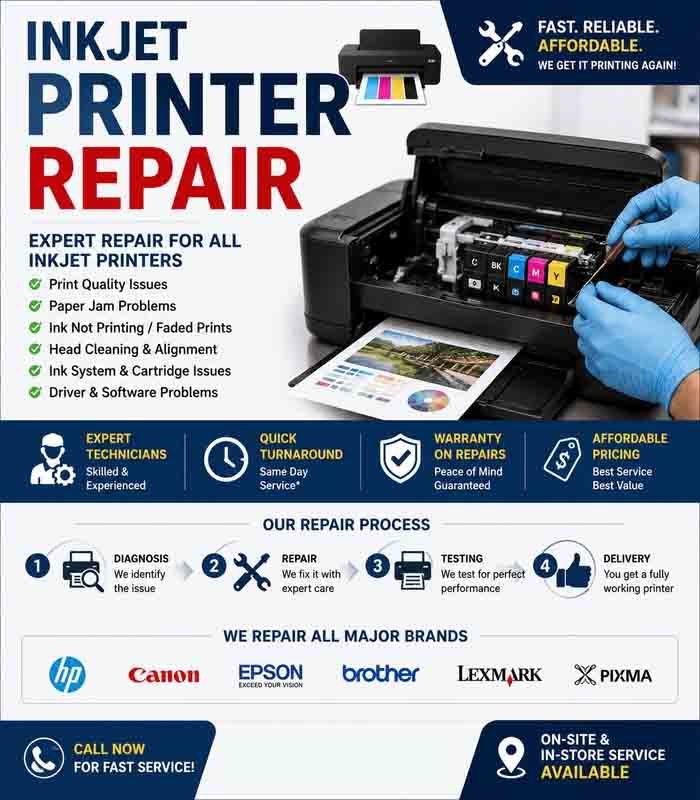
Inkjet printer repair involves diagnosing and fixing problems that affect printing, paper feeding, ink delivery, connectivity, and other printer functions. Many common inkjet issues can be identified through basic inspection and maintenance before more complex repairs are required.
Common Inkjet Printer Problems
Inkjet printers can develop different problems depending on their age, usage, ink condition, and maintenance history.
Common symptoms include:
- Printer not turning on
- Paper jams
- Blank pages
- Faded or streaked prints
- Missing colors
- Incorrect colors
- Ink smearing
- Slow or incomplete printing
- Printer not recognized by the computer
- Cartridges not detected
- Unusual mechanical noises
Identifying the exact symptom is the first step toward accurate diagnosis.
Basic Printer Diagnostics
Start by checking the power connection and printer status. Look at the control panel or display for warning messages and error codes.
Check whether the printer is connected correctly to the computer or network. If it is a wireless printer, verify its network connection.
Restarting the printer can resolve temporary communication or software problems.
Ink and Cartridge Inspection
Low or empty ink cartridges are a common reason for poor printing. Check the ink levels and confirm that the cartridges are correctly installed.
If a cartridge is not recognized, remove and reinstall it carefully. Check the cartridge contacts and make sure the correct cartridge model is being used.
Avoid touching sensitive electrical contacts unnecessarily.
Printhead Problems
A blocked or partially clogged printhead can produce faded output, missing lines, or incorrect colors.
Many inkjet printers provide automatic printhead-cleaning and nozzle-check functions. Run these utilities according to the manufacturer’s recommendations.
Repeated cleaning cycles consume ink, so excessive cleaning should be avoided when it does not improve print quality.
Print Quality Problems
If prints contain streaks, gaps, or incorrect colors, print a nozzle-check or test page.
Depending on the results, possible solutions may include:
- Cleaning the printhead
- Aligning the printhead
- Replacing an empty cartridge
- Checking paper type
- Adjusting print-quality settings
- Cleaning accessible printer components
Using suitable paper and compatible ink can also help maintain consistent print quality.
Paper Feed and Jam Repair
Paper-feed problems may be caused by incorrectly loaded paper, damaged sheets, worn rollers, foreign objects, or accumulated dust.
Remove paper carefully and inspect the paper path. Do not pull aggressively because torn paper can remain inside the mechanism.
If the printer repeatedly fails to feed paper even when the paper is loaded correctly, the feed rollers or related mechanical components may require servicing.
Printer Connectivity
If the printer works correctly from its control panel but cannot print from a computer, the problem may be related to the driver, print queue, USB connection, or network configuration.
Check that the correct printer is selected and that there are no stalled documents in the print queue.
For network printers, verify that the printer and computer are connected to the appropriate network.
Mechanical Problems
Grinding, clicking, or repeated abnormal noises may indicate a mechanical problem involving rollers, gears, carriage movement, or another internal component.
Do not force the printhead carriage or other moving parts. Further inspection may be necessary if the printer continues to make unusual sounds.
Cleaning and Maintenance
Regular cleaning can help prevent some inkjet printer problems. Keep the exterior and accessible areas free of dust and paper debris.
Follow the manufacturer’s instructions when cleaning printheads, rollers, or other internal areas. Avoid applying excessive liquid to electronic components.
When Professional Repair Is Needed
Professional servicing may be appropriate when the printer has a damaged mainboard, failed printhead, serious mechanical failure, ink leakage, or repeated errors that cannot be resolved through standard maintenance.
Before repairing an older printer, compare the expected repair cost with the price of a compatible replacement printer.
Testing After Repair
After servicing, perform a complete test. Confirm that the printer powers on correctly, feeds paper, produces clear output, recognizes its cartridges, and communicates with the connected computer or network.
For multifunction inkjet printers, also test scanning and copying functions.
Regular maintenance and timely troubleshooting can extend the life of an inkjet printer. Careful inkjet printer repair focuses on identifying the actual cause of the problem rather than replacing parts unnecessarily.








Reviews
There are no reviews yet.